
It was while struggling to manage several Facebook pages at once that I decided to look for a tool to help and that I discovered Recurpost. “Content is king” indeed, but producing and distributing enough content consistently gets pretty overwhelming when you’re alone or in a very small team and have limited time: studies, job…
Countless tools can help you by scheduling your content. Quite a several now are as complete as Recurpost, sometimes even more. But Recurpost is the only one I’m aware of that offers a forever free plan. That’s why I chose it, and that’s why I think that small teams and solo makers with few resources might want to consider it.
Recurpost: my social media assistant
Basically, Recurpost is a tool that allows you to organize and schedule your content to publish it on Facebook, Twitter, Instagram, Linkedin or Google+. It also offers several interesting features and, at the end of the day, saves you a lot of time.
Organizing your content
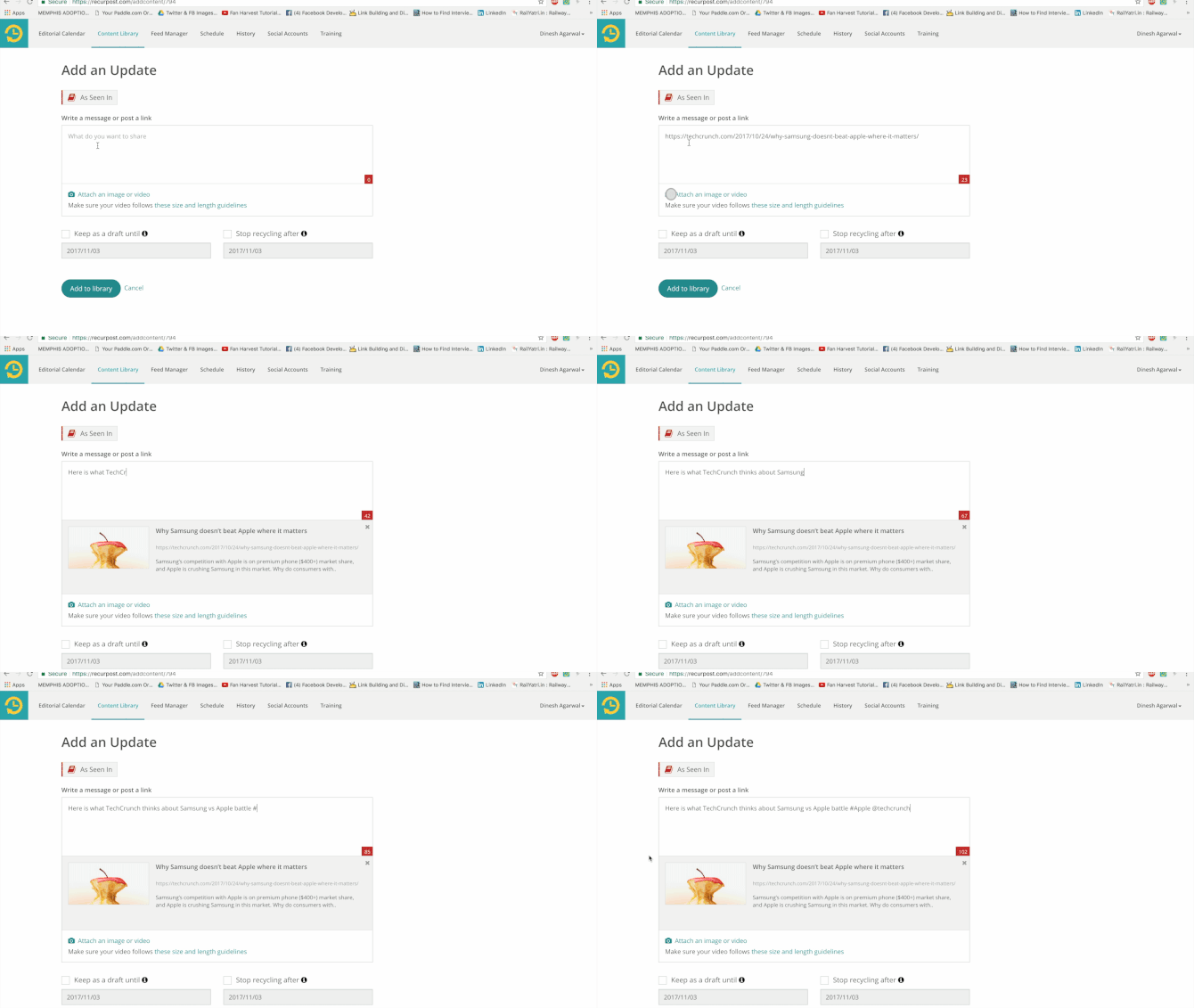
At the core of Recurpost lies its “Content Libraries”. A “Content Library” is comparable to a folder containing scheduled pieces of content of the same kind (news, announcements, quotes…). That way, the content gets organized directly inside the tool, which makes it painless to get a clear overview of it. Then it’s also easy to get an idea of the content that you need to produce to re-fill your libraries.
Scheduling your content
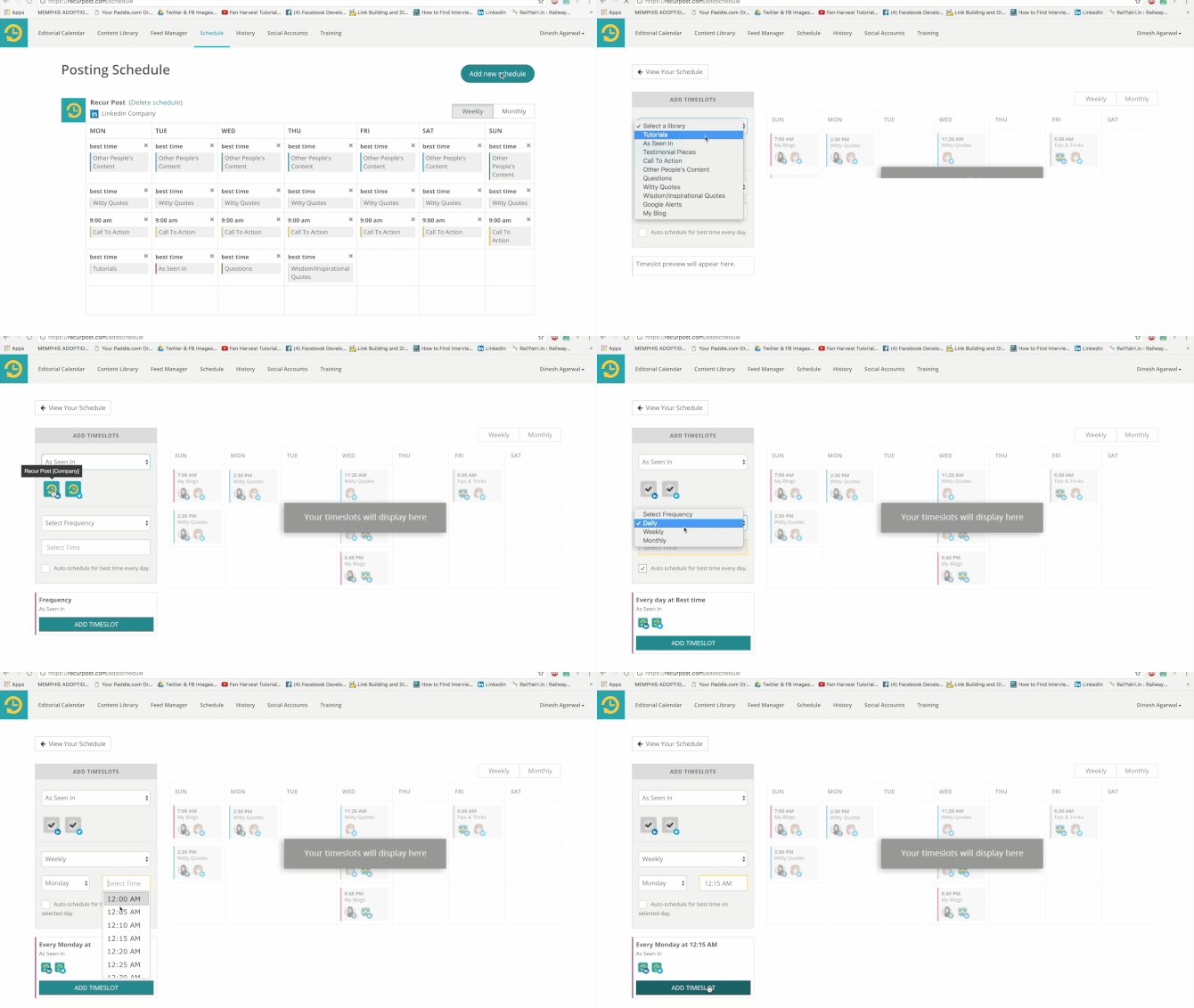
Once the content is organized in libraries, it can get scheduled. The idea here is to simply set a schedule and a platform to publish to for each library. It’s basically saying to Recurpost something like “publish an article from the blog every day on Twitter”. Recurpost can automatically select the best hour to publish for engagement. The tool then shows a nice calendar that summarizes what is about to get published when and where.
Managing evergreen content
Each library gets empty with time and has to be refilled. That said, a simple checkmark in a box turns a common library into an evergreen one. This means that each piece of content gets added back to the library once it has been posted. It’s a great feature when it comes to saving time, but a tricky one as you don’t want to turn an account into a bot, breaking trust and relationships.
And more…
Recurpost has other small but useful features to help you save time. Content can be added in bulk or from RSS feeds, from the Chrome extension, from the mobile app, from other tools or even from the platforms themselves (to re-use already shared content). A blog article can get turned into multiple posts (excerpts) and specified words become hashtags automatically. More here.
Should you use it?
Downsides
Recurpost is still a young company, and I discovered it soon enough to see it evolve. At the time I’m writing these lines, my regret is that Recurpost doesn’t support direct posting for Instagram Business accounts. Also, if you like to go further in automation, Recurpost isn’t supported by Zapier or IFTTT yet. For some, the tool might also still feel a bit nerdy and early stage.
What you get for free
As said previously, Recurpost offers a forever free plan. This plan is limited to 3 social media accounts, 100 scheduled pieces of content in total at the same time, no videos, no RSS feeds. Paid plans start at $25 a month.
Alternatives
Here is my opinion on three alternatives to Recurpost.
- SmarterQueue is the most complete, better than Recurpost. If you don’t feel tight on resources, you might want to check it.
- Meet Edgar is the most popular one, but it doesn’t add much compared to Recurpost.
- OneUp is very similar to Recurpost as well but offers a much simpler interface.